
The Rise of AI Mode in a Modern Digital World
Technology is changing so fast that many of us feel like we blink and suddenly everything works differently. Apps feel smarter, phones feel more helpful, and tools know what we need before we even ask.
At the center of this shift is something you are already surrounded by, even if you have never named it clearly.
That something is AI Mode.
It quietly powers your phone, your camera, your email, your search, your smartwatch, your car, and even your home’s bright lights. You may not always see it, but you feel it every day in the form of:
- Faster results
- Smarter suggestions
- Fewer steps
- Cleaner photos
- Better writing
- More personalized experiences
In this beginner-friendly guide, we are going to turn AI Mode from a vague buzzword into something obvious, practical, and usable in your daily life.
By the end, you will know:
- What AI Mode actually is
- Where you are already using it
- How it works behind the scenes
- How it helps in communication, at home, at work, health, and travel
- What Google AI Mode is and why it is important
- What risks and limitations should you be aware of
- How to enable and start using AI Mode in simple steps
- Where AI Mode is heading over the next decade
Quick Table of Contents
- What exactly is AI Mode
- The shift from manual digital life to intelligent digital life
- Everyday examples of AI Mode you already use
- How AI Mode works in 3 simple stages
- Main types of AI modes in modern devices
- Significant benefits of AI Mode in daily life
- Google AI Mode and how it fits into your world
- How AI Mode helps in real-life situations
- How industries use AI Mode behind the scenes
- Limitations, risks, and ethical concerns
- Safety tips for responsible AI Mode use
- How to turn on and start using AI Mode today
- Future trends you should know about
- FAQ about AI Mode
- Conclusion
What Exactly Is AI Mode?
Let us start with the simplest possible definition.
AI Mode is an intelligent mode in your device or app that uses artificial intelligence to assist you, automate tasks, and improve results with less effort on your part.
When AI Mode is active, your device does not just wait for instructions. It learns from:
- What you usually do
- How do you prefer things
- The current situation or context
Then it uses that information to help you:
- Write faster
- Search smarter
- Take better photos
- Stay safer on the road
- Manage your health
- Organize your day
You can think of AI Mode as a mix of:
- Smart helper
- Digital assistant
- Productivity booster
- Quality enhancer
- Predictive engine
- Creative partner
It does not replace you. It simply upgrades you.
The Shift From Manual Digital Life To Intelligent Digital Life
To really understand AI Mode, we need to see how our digital life has changed.
In the past, we did everything manually.
- We typed every email word by word
- We edited the photos step by step
- We hunted for information link by link
- We kept our own reminders and schedules
- We adjusted device settings ourselves
Today, a lot of that is quietly handled by AI Mode.
- Emails suggest complete sentences as we type
- Cameras choose the correct mode for night, portrait, or motion
- Search engines summarize answers at the top
- Smartwatches spot unusual heart patterns
- Phones extend battery life automatically
- Calendars suggest meeting times that fit everyone
The significant shift is simple.
It is no longer about devices just being powerful.
It is about devices being intelligent and supportive.
That intelligence is what we call AI Mode.
Everyday AI Mode You Already Use Without Realizing
Even if you have never pressed a button labeled “AI Mode”, you have almost certainly used it. Many times.
Here are typical examples.
On your phone keyboard
- Autocomplete suggestions
- Predictive next word
- Grammar and spelling suggestions
In your camera
- Night mode automatically turns on
- Portrait mode blurs the background
- Auto HDR or scene detection
- Smart photo enhancement
In search
- AI overviews at the top of the page
- Smart follow-up questions
- Instant answers for simple queries
On your smartwatch
- Sleep analysis
- Stress detection
- Heart rate monitoring
- Move or breathing reminders
While watching or listening
- Automatic subtitles
- Voice enhancement
- Smart brightness adjustment
While driving
- Lane keep assist
- Collision alerts
- Adaptive cruise control
- Real-time route suggestions
In your smart home
- Lights on at your usual time
- AC adjusting to your patterns
- Security alerts on unusual activity
All of these are powered by AI Mode, which runs silently in the background.
How AI Mode Works In 3 Simple Stages
Even though AI sounds complex, the basic workflow is obvious. AI Mode usually works in three repeating stages:
- Input
- Processing
- Output
This cycle happens many times a second while you use your device.
1. Input: How AI Mode understands the situation
First, AI Mode collects information related to what you are doing. For example:
- What you are typing
- The photo you are capturing
- Your voice command
- Which apps are you using
- Your location and time of day (if allowed)
- Your heart rate and movement (for wearables)
- Your past behavior and preferences
This does not mean AI is spying randomly. It uses the data you grant through permissions to understand context.
If you open the camera at night, AI Mode sees low light and prepares night mode.
If you start running, your watch recognizes a workout and begins tracking.
2. Processing: The brain of AI Mode
Once it has the input, AI Mode processes it with advanced AI techniques like:
- Machine learning, which predicts what you are likely to do next
- Deep learning, which finds patterns in images, audio, or text
- Natural language processing, which understands what you say or write
- Computer vision, which analyzes what is inside a photo or video
- Predictive modeling, which forecasts likely outcomes
Example:
You type the start of a sentence in an email. AI Mode looks at your previous writing, understands your usual tone, and suggests the rest of the sentence.
3. Output: The action you actually see
After processing, AI Mode turns everything into something useful for you. That could be:
- A suggested reply in your email
- A clearer, brighter photo
- A summarized article
- A suggested route with less traffic
- A health alert on your watch
- A smart reminder at the right moment
From your side, it just feels like the device is being “smart”. That is AI Mode doing its job.
Main Types Of AI Modes in Modern Devices
AI Mode is not one single feature. It appears differently depending on where you view it. Here are the major categories.
1. Productivity AI Mode
You will find this in tools like Gmail, Google Docs, Microsoft 365, Notion, Slack, and more. It helps you:
- Draft emails and messages
- Rewrite text for clarity and tone
- Summarize long documents
- Turn voice into text
- Generate outlines and ideas
2. Creative AI Mode
Found in apps for content creation, such as photo and video editors, design tools, and writing platforms. It helps you:
- Enhance photos
- Remove objects from images
- Generate captions
- Suggest video edits
- Create layouts and graphics
3. Mobile AI Mode
Built into modern smartphones. It supports:
- Camera scene detection
- Adaptive battery usage
- Face unlock
- Live transcription
- Innovative suggestions for apps and settings
4. Smart Home AI Mode
Used in devices like smart speakers, thermostats, smart bulbs, locks, cameras, and home hubs. It:
- Automates routines
- Adjusts lighting and temperature
- Responds to voice commands
- Sends security alerts
5. Automotive AI Mode
Integrated into cars to increase safety and comfort:
- Lane keeping assist
- Automatic braking alerts
- Parking assistance
- Driver drowsiness checks
- Smart navigation
6. Wearable AI Mode
In smartwatches and fitness trackers, AI Mode:
- Tracks heart health
- Analyzes sleep stages
- Detects stress patterns
- Suggests workouts
- Warns about unusual metrics
7. Gaming AI Mode
Games use AI Mode to:
- Adjust difficulty
- Make enemies behave intelligently
- Recommend games you will like
- Personalize challenges
Significant Benefits Of AI Mode In Daily Life
Let us look at what AI Mode really does for you day to day.
1. It saves a tremendous amount of time
- Emails can be written in minutes instead of half an hour
- Articles and long documents can be summarized in seconds
- Photos no longer need manual fine-tuning
- Tasks and reminders can be generated automatically
For students, that means faster assignments and better research.
For professionals, that means more time spent focusing and less busy work.
2. It improves quality automatically
You do not have to be an expert to get good results. AI Mode helps with:
- Clearer writing
- Cleaner audio
- Sharper photos
- Smarter presentations
You bring the idea. AI Mode polishes the output.
3. It personalizes your digital experience
Over time, AI Mode learns:
- Your schedule
- Your style of writing
- Your favorite apps
- Your typical routes
- Your activity patterns
Then it uses this to suggest what you actually find helpful at the right time.
4. It makes technology easier for all ages
AI Mode reduces friction for:
- Seniors who prefer voice commands and simple summaries
- Kids who need help with language and reading
- Busy adults who need quick answers rather than long processes
Accessibility features like live captions, read aloud, and brilliant suggestions are all part of this.
5. It supports better decisions
AI Mode can highlight patterns you might miss, such as:
- Unusual health changes
- Risky links in emails
- Overspending trends
- Safer or faster travel routes
It does not decide for you. It provides you with better information so you can make a wise decision.
What Is Google AI Mode And Why Is It Everywhere?
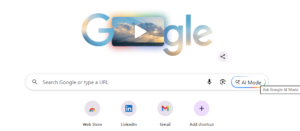
Google is one of the companies most deeply integrating AI Mode into everyday tools.
When we talk about Google AI Mode, we are referring to AI-powered features across:
- Google Search
- Gmail
- Google Docs
- Google Photos
- Google Maps
- Google Meet
- Android and Pixel phones
- Google Assistant or Assistant with Gemini
- Google Workspace tools
Some practical examples include:
- AI summaries in Google Search
- Smart Compose and Smart Reply in Gmail
- AI writing help in Google Docs
- Magic Eraser and advanced editing in Photos
- Real-time traffic and smart routes in Maps
- Meeting summaries and captions in Meet
According to the Pew Research Center, awareness of AI has surged in the United States, with 95 percent of adults having heard about artificial intelligence and nearly half reporting they’ve heard a lot about it. The research also shows that 62 percent of Americans believe they interact with AI several times a week, and 73 percent are open to letting AI assist them at least a little with daily tasks. Additionally, a majority feel limited in their personal control over AI use: 57 percent say they have little to no power, and 61 percent would like to have more influence over how AI shapes their daily lives.
Google AI Mode uses these same behavior insights to shape features that match how people actually use their devices.
How AI Mode Helps In Real-Life Situations
Let us look at situations we all recognize.
In communication
- Smart replies cut down email writing time
- Auto translation helps us talk across languages
- Noise reduction makes calls clearer in crowded places
- Meeting summaries let us catch up without rewatching everything
In-home living
- Lights follow our routines
- Air conditioning adjusts based on temperature and time
- Smart plugs turn off devices when not needed
- Video doorbells show who is at the door and alert us when something unusual happens
In health and fitness
- Our watch warns if our heart rate stays high at rest
- Apps show sleep quality and recommend improvements
- Fitness apps adjust goals depending on our recent activity
- Stress tracking can nudge us to pause and breathe
In travel and navigation
- Maps reroute us instantly when there is traffic ahead
- AI helps plan routes that combine walking, public transport, and driving
- Travel apps track flight updates and gate changes
- AI translation helps us read signs, menus, and boards in other languages
In creativity
- Photo editors suggest enhancements with a single tap
- Video editors find the highlights automatically
- Social tools suggest captions and hashtags
- Design tools generate layouts from simple text prompts
How Industries Use AI Mode Behind The Scenes
Even if you do not see it, many industries rely on AI and similar technologies.
Healthcare
- AI helps read X-rays and scans
- Systems remind patients to take medicine
- Wearables send data that doctors can review
- Virtual assistants help triage symptoms
Finance
- Banks detect suspicious transactions
- Apps categorize spending and show patterns
- Tools suggest savings goals and investment options
- Chatbots assist with common queries
Education
- AI tutors adapt difficulty to the student
- Summarizers help students review faster
- Plagiarism tools check originality
- Innovative platforms track progress and suggest the following lessons
Retail and ecommerce
- Sites recommend products based on behavior
- AI chat helps with support, returns, and sizing questions
- Innovative inventory systems reduce stock problems
- Visual search lets users find products with a photo
Entertainment and media
- Streaming services suggest movies and playlists
- AI improves audio and video quality
- Subtitles and descriptions improve accessibility
Recent reporting from the 2025 AI Index Report highlights how AI is reshaping industries behind the scenes with dramatic year-over-year advancements. The report shows that business adoption of AI reached 78 percent in 2024, while private AI investment in the United States climbed to 109.1 billion dollars, with generative AI alone attracting 33.9 billion dollars globally. It also reveals that sectors like healthcare and transportation are rapidly integrating AI at scale, as seen in the FDA’s approval of 223 AI-enabled medical devices in 2023 and autonomous services delivering more than 150,000 self-driving rides each week.
Limitations, Risks, And Ethical Concerns
AI Mode is powerful, but it is not magical or perfect. Knowing the limits keeps us safe and realistic.
1. Overdependence
If we let AI handle everything, we may:
- Practice writing less
- Trust its answers unquestioningly
- Lose some problem-solving practice
We should treat AI Mode as a tool, not a replacement for thinking.
2. Privacy questions
AI often works with personal data such as:
- Location
- Health metrics
- Voice commands
- Text inputs
So it is fair to ask:
- How is this data stored
- Who can see it
- How long is it kept
We should always review permissions, choose trusted apps, and use devices that are serious about privacy.
3. Inaccuracies
AI Mode can still:
- Misunderstand context
- Summarize incorrectly
- Miss important details
So we should continually review AI-generated text or actions before using them in serious situations.
4. Bias
AI learns from real-world data, and that data can contain:
- Cultural bias
- Gender bias
- Racial bias
Developers work to reduce this, but it still exists. It is smart to combine AI suggestions with human judgment, especially for sensitive topics.
Safety Tips For Responsible AI Mode Use
Here are simple rules that keep AI Mode helpful and safe.
- Check your permissions regularly
- Turn off any access that feels unnecessary.
- Avoid sharing highly sensitive information
- Do not enter passwords, PINs, or highly sensitive information into AI tools.
- Always review AI outputs
- Especially for work, money, health, law, or school submissions.
- Keep your apps and devices updated
- Updates often fix security issues and improve AI behavior.
- Use AI Mode to assist, not to replace yourself
- Let it reduce tedious work, while you handle judgment, creativity, and final decisions.
How To Turn On And Start Using AI Mode Today
You do not need a special device labeled “AI-powered” to start. Most modern phones, laptops, and apps already include AI Mode features.
Step 1: Explore your device settings
Look for options such as:
- Smart features
- AI features
- Suggestions
- Intelligent assistance
- Adaptive battery or brightness
- Writing suggestions
Step 2: Enable helpful AI features
Turn on features like:
- Smart typing or Smart Compose
- AI camera optimization
- Health insights on wearables
- Smart home routines or automations
- AI assistant or voice assistant
Step 3: Try simple AI Mode actions
Some easy first experiments:
- Let your email tool suggest sentences or replies
- Use AI to summarize a long article
- Use voice typing instead of manual typing
- Try automatic enhancements on a dark or blurry photo
- Ask your phone assistant a complex question and see the structured answer
Step 4: Adjust to your lifestyle
Over time, you can:
- Change your writing tone preferences
- Customize notifications
- Create smart home routines
- Set workout and health goals
- Control how much AI automation you want
The key idea is that AI Mode should feel like a support system that fits your life, not something that overwhelms it.
Future Trends: Where AI Mode Is Going Next
AI Mode today is powerful, but we are still early in the journey. In the next decade, we can expect:
- Even more personalization, where devices adapt to mood, stress level, and goals
- Emotion-aware AI that adjusts how it talks to us based on how we sound or look
- Seamless AI across all devices, where phone, watch, laptop, car, and home act like one brain
- More on device AI, which keeps data local and private while still being smart
- Stronger focus on accessibility, especially for seniors and people with disabilities
AI Mode will move from a valuable feature to the standard way technology operates.
FAQ About AI Mode
Is AI Mode only for tech experts?
No. AI Mode is built exactly so non-technical users can do advanced things, like edit photos, write better, and automate tasks, without needing deep knowledge.
Does AI Mode always need the internet?
Some features do, but many are now processed on the device itself. Camera enhancements, keyboard suggestions, and some health insights can work offline.
Can I turn AI Mode off?
You can turn off individual AI features in settings, such as innovative suggestions, voice assistants, or personalization.
Is AI Mode the same across all brands?
No. Each company has its own AI systems and design choices. Google AI Mode, Apple intelligence, Samsung AI features, and Windows AI tools work differently, even though they share similar goals.
Final Conclusion: Why AI Mode Is Now A Core Life Skill
AI Mode is not a general, futuristic idea. It is already on your phone, in your apps, in your car, in your home, in your work tools, and even on your watch.
It helps you:
- Save time
- Improve quality
- Stay organized
- Take better care of your health
- Communicate more clearly
- Create more confidently
- Make better decisions
Understanding AI Mode is becoming as important as knowing how to use a browser or a smartphone.
The world is not moving away from AI. It is moving deeper into it.
Those of us who learn how AI Mode works, where it appears, and how to control it will feel more confident, more capable, and better prepared for the next wave of technology.
The best part is that you do not need to be a programmer or an engineer to benefit.
If you can tap, talk, type, and swipe, you are already ready to use AI Mode.
Now you know what it is, how it helps, and how to make it work for you.